


I spend a lot of time working with AI tools. Using them to do work, of course, but also maintaining them, improving the context they can use, and building the scaffolding that makes them really useful. This post is a snapshot of how that looks for me in June 2026.
Managing context
As an implementation consultant working on niche software implementations and developer of integration tools and platforms, I have very specific knowledge on the software components I interact with daily.
Anyone can open ChatGPT, give it three sentences of info, and ask it to solve the problem. But can you trust what comes back? The more background info you have, the more you’re likely to give relevant details to your AI agent. And you’re probably not giving it all the details every time, which means you’re effectively relying on the training data the model was given when it was made.
Since getting into AI-based tooling in the second half of 2025, I’ve spent enormous amounts of time tinkering and exploring. Figuring out how these tools work and, more importantly, how to make them work well for my specific context. I learned how to use MCPs (Model Context Protocol servers, which quickly shifted towards building and maintaining my own connectors) and to write skills that encode the knowledge and ways of working I’ve refined over the years. When I start a conversation with an AI tool, it should already know what I know. Even then, I still don’t trust what comes back and will always try to validate. Spotted a mistake? That means a skill or project reference document probably needs to be extended or corrected so the mistake isn’t repeated.
Sounds simple? It is indeed. But it does take discipline to keep improving the tools themselves, to make the output better and more reliable. And to avoid taking shortcuts on designing solutions and reviewing what comes back from the agents.
Claude Code
Claude Code is the tool of choice for anything coding related. I’m still on Opus 4.6 as I’ve not found 4.7 and 4.8 to be improvements over 4.6. I use it with the Visual Studio Code extension because I prefer it over the terminal-based CLI tool.
Brainstorm - plan - implement - review
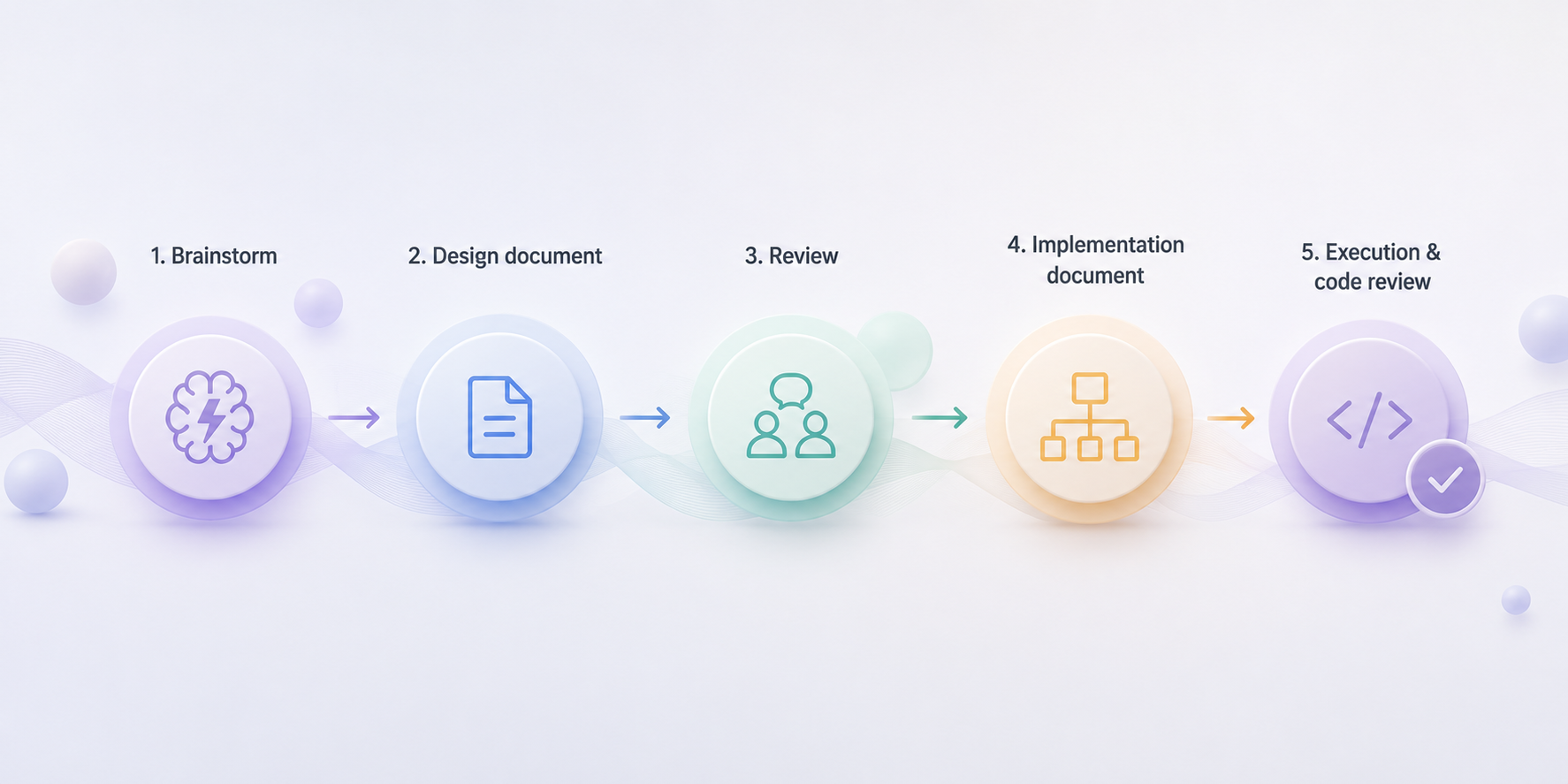
Within Claude Code, I use a strict brainstorm-plan-implement-review workflow with written documentation. Currently I use the obra/superpowers plugins, which generates a design markdown file and later an implementation markdown file before it writes the first line of code. But any similar system would also work equally well, it’s mostly a matter of personal preference.
I’ve got some improvements to this workflow in mind which will likely mean I’ll end up writing my own structured skills for each of the phases in my development workflow.
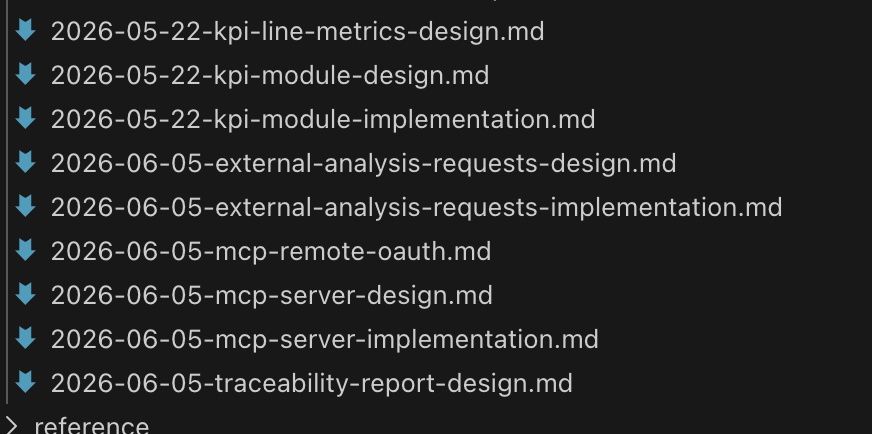
The critical part is that the methodology self-documents into something I can review before implementation. I approve all steps after careful review of the documentation, and then review the diff via a pull request. When the git commit lands in the repo, my name is attached to it. I may not have written all the code (more often than not, I’ve written none of it by my hand) but I remain responsible and accountable for it.
The secondary benefit to that is that the documentation generated remains available. It’s additional context for future work, and it records the reasoning and ideas behind changes we’ve made. If we end up changing things, this is useful context to have in the next round of brainstorming and planning.
More than code
Claude Code is far more than a coding assistant for me. I also use it for writing, research, workflow automation, and as a general-purpose thinking partner. The ability to give it persistent instructions, hook it into external tools via MCPs, and have it operate directly on my filesystem makes it extremely versatile. My technical brain likes project folders with structured text-based information in them. It’s why I also use Obsidian, for example. And that structure works really well in Claude Code.
Skills for domain knowledge
Because many of the software platforms and tools I work on interact with or work directly with Produmex WMS and SAP Business One, knowledge on both the application domain and their technical features is really important. That’s why I maintain specific skills that can be called in where needed. A few examples:
SAP Service Layer & Produmex WMS API
Both have the full set of documentation, as well as example code and best practices defined.
Domain meta-skill
Knows how Produmex WMS fits into the SAP Business One domain, and by consequence, knows whether we need SAP’s Service Layer or the Produmex API for a given task.
Documentation aggregation
Documentation can be scattered across different resources, so I have defined skills that know about all of those places and know where to find specific bits and pieces.
Workflow customization
Produmex WMS supports customization on its scanner-based workflows. I’ve done many of those, and have embedded all the do’s and don’ts into a specific skill.
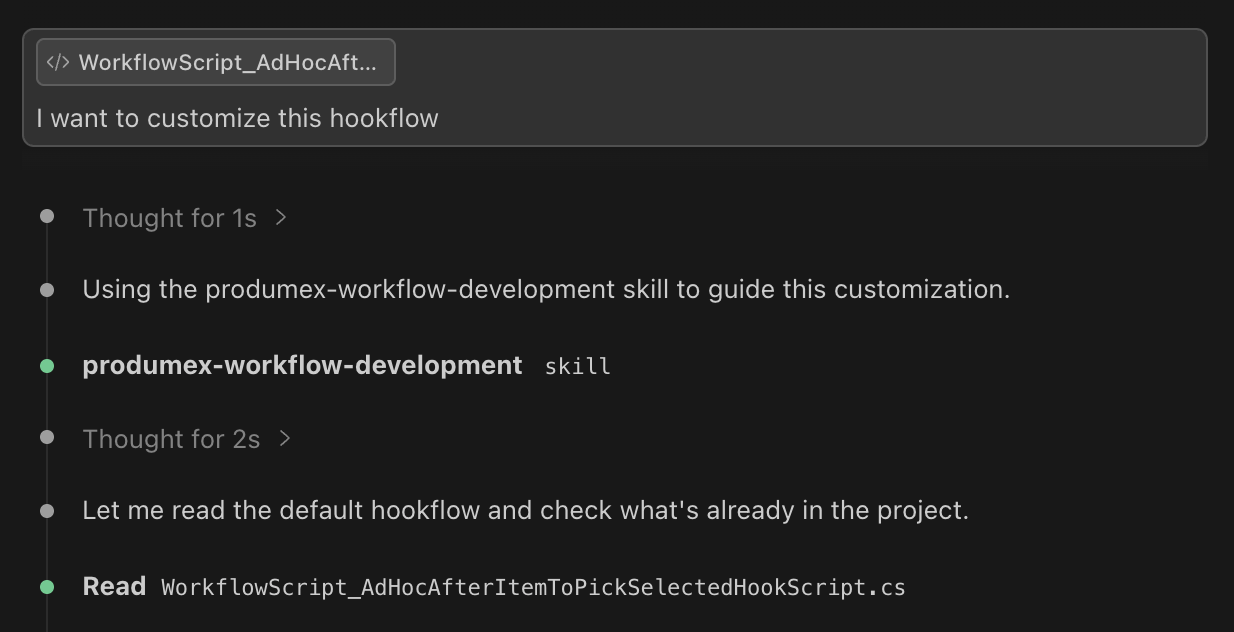 Claude Code automatically loading the produmex-workflow-development skill
These skills are set up so they auto-load whenever the agent decides they are needed and work across the different coding agents (Claude Code, Codex) as well as desktop apps.
For more mainstream knowledge like web development with modern frameworks such as NextJS, you don’t need to reinvent the wheel. I’ve cherry-picked some skills I found to work well and maintain them locally, or just use the marketplace version.
I’ve also taken inspiration from other methodology skills such as Grill with docs by Matt Pocock. I recommend his youtube channel as he is a very proficient teacher and explains the reasoning behind his publicly shared skills really well.
Chat-based work
The Claude and ChatGPT desktop apps fill a different role. I reach for them when I need broad general knowledge, quick brainstorming, or when I’m working on something where the conversational interface is more natural than a terminal. ChatGPT can do image generation, something Claude lacks. Not that I need it often for anything serious though.
Autonomous Agents (OpenClaw, Hermes)
I’ve experimented with OpenClaw and more recently set up a Hermes agent. While I think those tools are cool, they don’t serve a real business need for me yet. For work, I don’t need anything running 24/7 or acting on my behalf. And so far I can do most of what I need in a normal Claude Code session.
Where I have found a use for them is health and fitness tracking and planning. I wear a Garmin watch, and my activity data and health metrics flow into Intervals.icu for training planning. For strength training I use Hevy. Both Hevy and Intervals.icu have APIs, so integrating with them only requires a small connector or MCP.
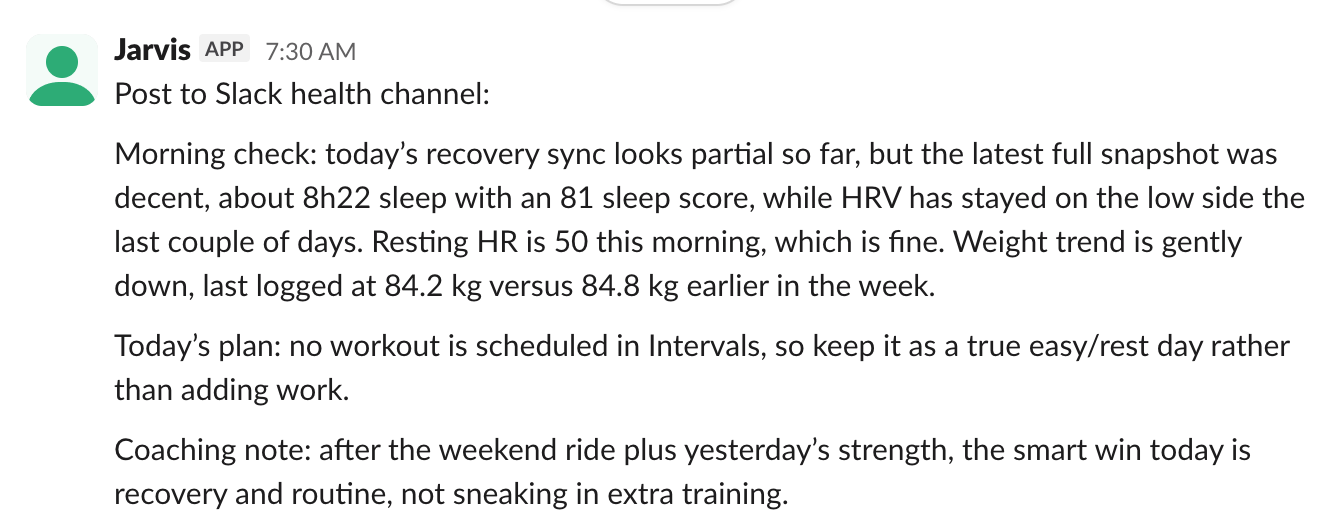 Jarvis, my OpenClaw bot giving me the morning health snapshot via Slack
Being able to interact with OpenClaw or Hermes from my phone easily, and getting it to proactively review data and send daily summaries, is convenient.
The cost of doing business
All of this is not free. I’m currently on a Claude Max 20x plan and a normal ChatGPT plan, totalling around €200 excl. VAT per month.
This is likely not even close to the real cost of my AI usage, as even the paid plans are currently heavily subsidized while both Anthropic and OpenAI are fighting for market share (and compute power).
It’ll be interesting to see how pricing evolves. Open-source models are becoming better, I could see self-hosted AI becoming a real possibility over the next few years. The AI bubble could also pop, and who knows what happens then.
Should the cost increase beyond what I’m currently paying, I will need to review my usage and start optimizing it for token efficiency more than I do now.
So, is it worth it?
In short: yes, absolutely. But it is not a magical tool that solves your problems without putting any effort into it.
I get the most out of AI tooling when the task has clear structure and I can verify the output. Code generation, refactoring, data transformation, writing first drafts, analyzing logs. That’s where the leverage is. It pays off even more in niche enterprise software where you can’t just Google the answer. Years of implementation experience, encoded into skills, MCPs, context that the AI can draw on.
All of this takes real effort to set up and maintain. The time I’ve spent building skills, writing reference documents, maintaining CLAUDE.md files, and curating memory is substantial. But the compounding returns are adding up. Each piece of context I encode makes every future session more productive.
The landscape is moving fast. Half of what I use today might be obsolete in six months. That’s fine. The meta-skill, knowing how to make AI tools work for your specific context, transfers across whatever tools come next.